
01
Capture interest
Route study inquiries into one structured recruiting queue.
Bring new inquiries, prescreen review, follow-up, outstanding items, scheduling readiness, and sponsor-safe updates into one connected site workflow.
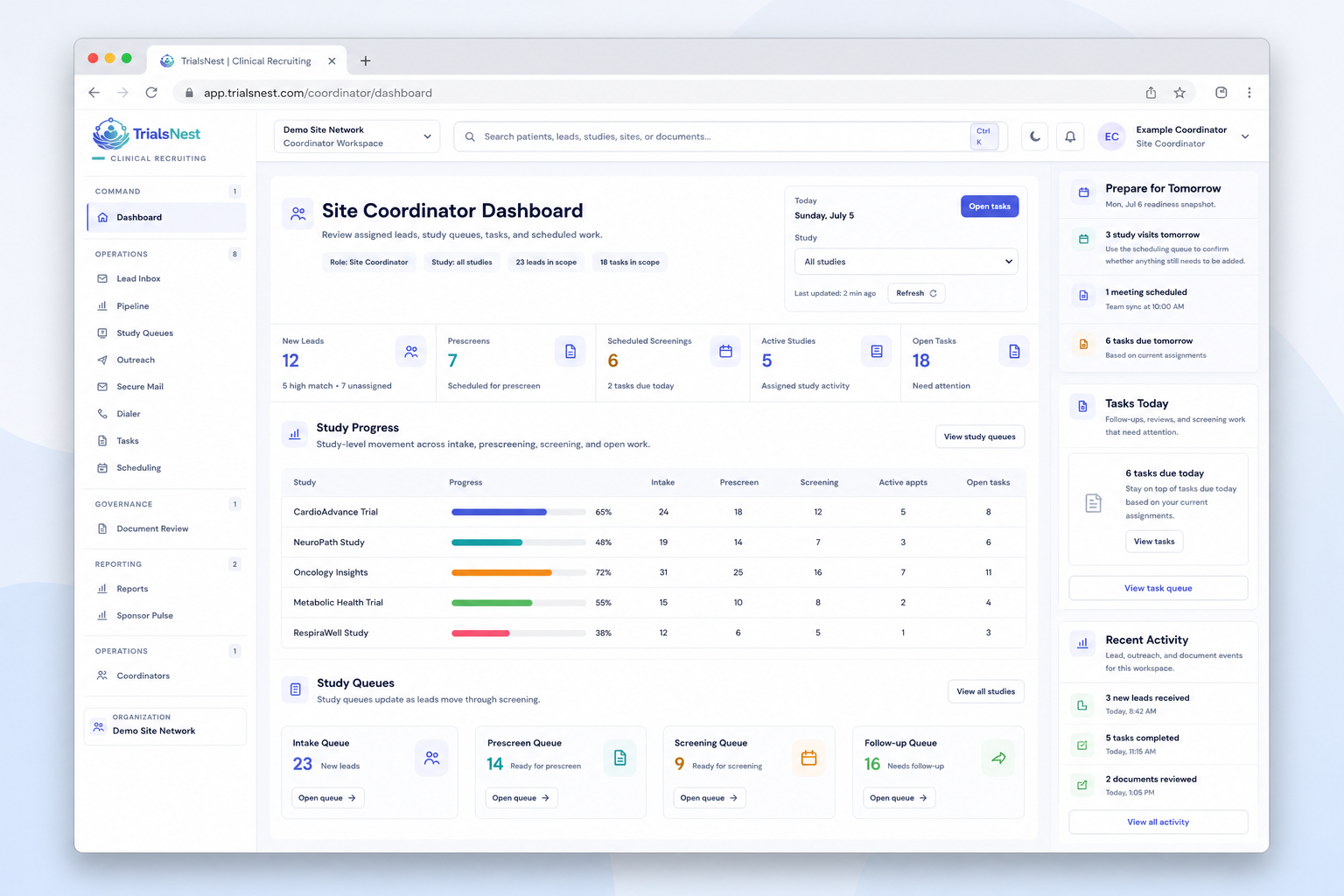
The workflow is organized around what coordinators need to do next—not a passive list of statuses.
Route study inquiries into one structured recruiting queue.
See prescreen context and questions that still need confirmation.
Keep calls, messages, ownership, and due work attached to the inquiry.
Track outstanding items and scheduling readiness together.
Summarize aggregate progress, blockers, and next actions.
A site team should be able to trace why work needs attention, who owns it, and what changed without relying on an unsupported performance claim.
The site lead sees the affected queue and coverage gap while coordinators keep patient-level work inside their authorized workspace.
A coordinator can see the missing item, due work, and responsible teammate without reconstructing the record from separate tools.
The operating view summarizes readiness and recurring blocker types while keeping private prescreen and message content out of aggregate reporting.
These fictional examples illustrate workflow evidence and are not customer testimonials, performance results, or enrollment claims.
This fictional queue shows the operating context a coordinator needs before opening an inquiry.
Choose Coordinator or Site lead, then select a step to see who handles it and what comes next.
The coordinator receives a structured inquiry instead of rebuilding the first-touch context from separate forms and inboxes.
Example workflow. No real patient information is shown.
Structured answers make it easier to identify what supports possible fit and what still needs confirmation by the study team.
Example workflow. No real patient information is shown.
The coordinator can work from the latest prescreen context, follow-up history, and open question without restarting the case review.
Example workflow. No real patient information is shown.
The coordinator sees what was requested, what remains outstanding, and whether follow-up is due without relying on a separate tracker.
Example workflow. No real patient information is shown.
The coordinator can see readiness, patient preference, task ownership, and the latest outreach context together.
Example workflow. No real patient information is shown.
The coordinator contributes status, blocker, close-reason, and next-action context without preparing a separate patient-detail report for sponsors.
Example workflow. No real patient information is shown.
The goal is not another dashboard. It is a clearer daily operating rhythm for the people moving recruiting work forward.
Make ownership visible before new interest becomes stale.
Keep review context, requests, and follow-up in the same operating view.
Separate missing information, site questions, and scheduling readiness.
Explain movement and next actions without sharing the coordinator workspace.
Coordinators should not have to reconstruct the study, request, owner, and due work before every message.
Organized intake by study, source, owner, and next action.
Structured possible-fit information for authorized team review.
Calls, messages, tasks, and handoff context in one place.
Outstanding items and visit readiness connected to the inquiry.
Clear visit status and next available action.
Aggregate movement, blocker categories, and operating context.
The site workflow keeps patient recruiting work with authorized research teams while creating aggregate operating signals for leadership and sponsor reporting.
Book a focused call around the work your coordinators are managing today—not a generic feature tour.