
A site network patient recruitment workflow should tell coordinators what to do next for each inquiry while preserving enough structure for site leads to see overdue work, records blockers, scheduling readiness, and close-out reasons.
In this guide
Key points
Start with owned intake
The workflow starts when a patient inquiry becomes visible to the right site, study, and coordinator. Intake should capture the source, requested location, study interest, arrival time, consented contact path, and the first owner responsible for review.
A site network patient recruitment workflow should avoid unowned leads. If a coordinator is out, the queue still needs reassignment rules, overdue indicators, and a clear way for another authorized teammate to continue the next step without rebuilding context.
Move from outreach to prescreening
After intake, the practical work is outreach. The workflow should separate not-yet-contacted, attempted, reached, interested, not interested, and needs follow-up so coordinators can prioritize active conversations instead of scanning notes for hidden status.
When a patient moves into prescreening, the record needs study-specific fit signals, open questions, and a next action. That may be another call, coordinator review, records request, site-team review, or a clear close-out reason when the study is not appropriate.
Track records and review readiness
Records readiness is where many recruitment workflows slow down. A patient may be interested and broadly relevant, but still need medication history, prior documentation, identification, availability confirmation, or review from the study team before scheduling is appropriate.
The workflow should show which requirement is missing, who owns the request, when the next reminder is due, and whether the delay is with the patient, the site, the study team, or another approved process. That keeps records work from turning into invisible follow-up.
Make scheduling a workflow stage
Scheduling should not be treated as a final note at the end of the funnel. The workflow needs a stage for ready to schedule, scheduled, reschedule needed, no-show follow-up, screened, and closed so site teams can see the operational path from interest to visit.
Those stages help coordinators manage the day instead of guessing from calendar entries. They also give site leads a clean way to spot bottlenecks such as visit capacity, missing confirmations, stale reminders, or patients waiting too long for a proposed time.
Close the loop with useful reasons
Close reasons are part of the workflow, not administrative cleanup. A site network should distinguish no response, not interested, out of area, study mismatch, records not available, duplicate inquiry, screen failed, enrolled elsewhere, and other site-approved categories.
Consistent close-out helps coordinators avoid repeated low-value work and helps site leads improve the process later. The workflow guide should keep that feedback close to the lead record so the next source review or study conversation has operational evidence.
A queue-level example
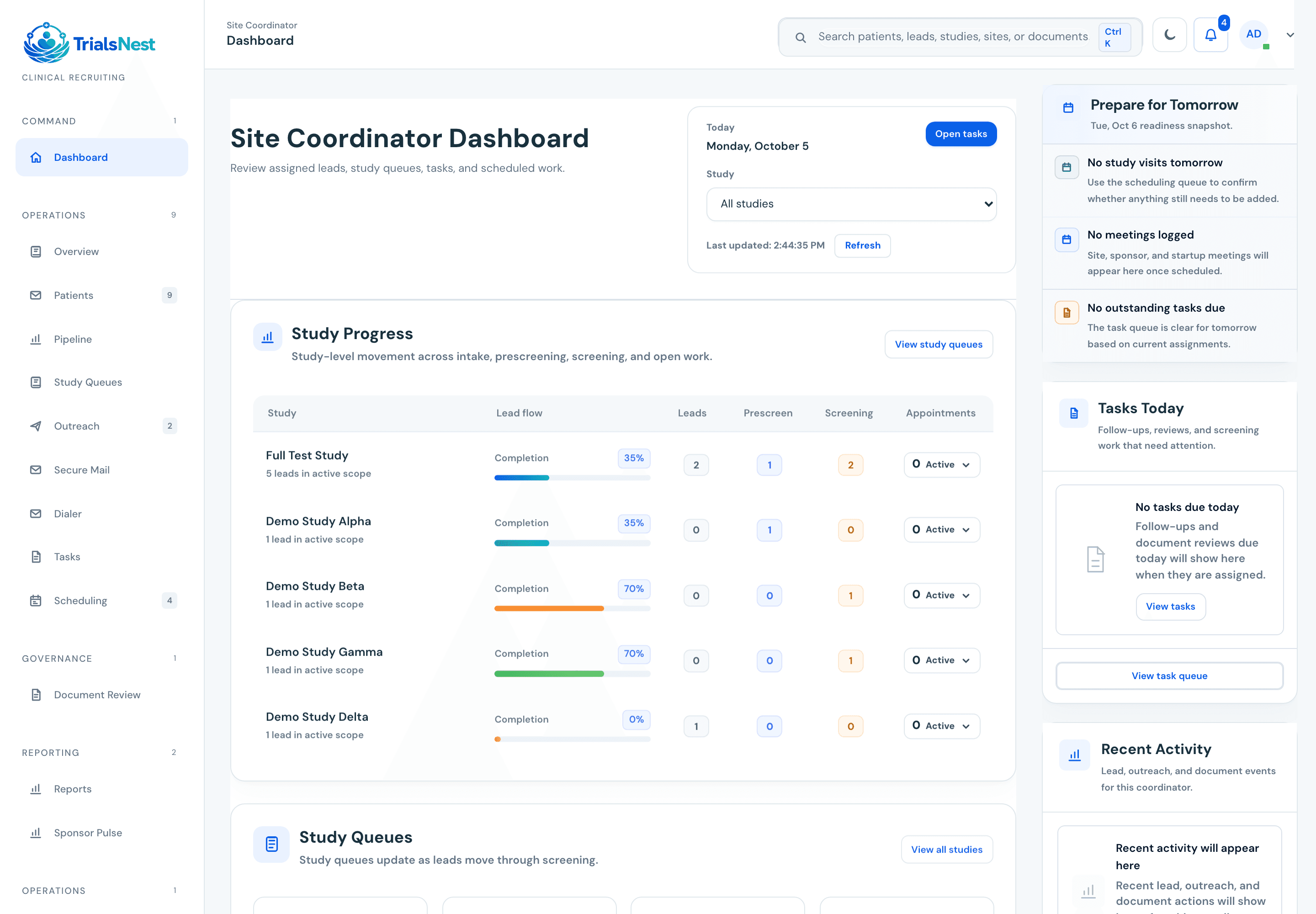
A coordinator opens the queue and can immediately see which lead needs follow-up, which one is waiting on records, and which one is ready for scheduling review.
Operator's note
Use site network patient recruitment workflow beside the real workflow. The page is strongest when it helps a team name the owner, blocker, source-quality issue, records gap, scheduling constraint, or sponsor update that needs attention.
Treating the guide as a static document
The operational value appears when the guidance changes a queue, meeting agenda, dashboard, or handoff.
Adding detail without ownership
More fields do not help if nobody owns the next action or review point.
Checklists and questions for your team
Decision checklist
Can the next action be found without searching notes, inboxes, or spreadsheet tabs?
Does the workflow create a natural weekly or daily review point?
Can the operating record become a clean update without manual reconstruction?
Before you start
Questions for your team
Ways to use this guide
Compare it with the real queue
Read it next to the way your team already works. The gaps usually show up around ownership, missing records, follow-up timing, or sponsor-update prep.
Mark the handoffs
For each section, ask where the work changes hands. If the handoff depends on memory, a spreadsheet tab, or a buried message, that is probably worth fixing.
Leave with one operating change
The guide should point to one next status, owner, report field, review cadence, or patient-facing boundary that gets clearer.
Common questions
What should teams know about site network patient recruitment workflow?
A site network patient recruitment workflow should tell coordinators what to do next for each inquiry while preserving enough structure for site leads to see overdue work, records blockers, scheduling readiness, and close-out reasons. The practical value is in connecting the concept to ownership, follow-up, records readiness, scheduling, reporting, and clear next actions.
Who is this resource written for?
This resource is written for research sites sorting through practical questions around site network patient recruitment workflow and the workflow decisions that usually come with it.
Does this guide replace study-team review or medical advice?
No. TrialsNest resources are educational and operational. They do not provide medical advice, diagnosis, treatment, emergency care, or final clinical trial eligibility decisions.
How would a team use this workflow guidance in practice?
Use it to compare the current workflow with what actually happens day to day: where leads wait, where records get lost, where follow-up slows down, and what needs a clearer owner. The best next step is to turn the article takeaways into a short review checklist for site network patient recruitment workflow.
Sources and editorial notes
Published . Reviewed by TrialsNest editorial review on .
This guide explains recruitment work and questions to discuss with your team.
This information is educational. Your study team makes medical, eligibility, and enrollment decisions.
TrialsNest can organize intake, prescreening, and workflow context, but it does not make final eligibility, enrollment, treatment, or medical decisions.
Sponsor-ready updates should show source quality, movement, blockers, and next actions without becoming a broad patient-detail workspace.
These resources explain clinical recruiting workflows and buying decisions. Sensitive study details belong in the appropriate secure workflow.
See TrialsNest in action
Bring this workflow into one place.
Manage inquiries, follow-ups, records, and visits. Keep sponsors updated on progress.
Keep reading
Patient recruitment vendor evaluation questions for research sites
A practical TrialsNest guide to patient recruitment vendor evaluation questions for research sites with careful clinical trial workflow boundaries and a clear next step.
Multi-site clinical trial recruitment dashboard
A practical dashboard guide for site networks comparing recruitment movement, source quality, stale leads, records blockers, scheduled visits, and sponsor-ready next actions.
Clinical trial recruitment software resources
Resources for teams comparing clinical trial recruitment software, patient recruitment software, dashboards, workflow coverage, implementation plans, and ROI.
Best clinical trial recruitment software for sites
The best clinical trial recruitment software for research sites is the platform that makes daily recruiting work clearer: intake, prescreening, owner, status, blocker, records readiness, scheduling, source quality, and sponsor updates.